
What's on this page
- How much is a Tesla Powerwall, installed
- The two numbers behind every Powerwall quote
- Powerwall Installation Cost vs Hardware Price
- Tesla Powerwall installation cost, line by line
- What the Powerwall 3 actually is
- What Changes the Installed Price
- How Many Units a House Actually Needs
- Powerwall 3 vs Powerwall 2: What Changed and What It Means for Price
- Cost with solar versus without
- Tesla Powerwall monthly cost: financing a battery, not renting one
- Where the federal tax credit stands now
- State, utility, and virtual power plant programs
- What a Powerwall actually pays for
- Why installer quotes vary so much
- Why a Powerwall quote outside the US looks different
- Permitting and interconnection
- Operating life and warranty
- Alternatives to consider briefly
- The payback reality
- The worked example, start to finish
- A second worked example: essentials-only on one unit
- How your tariff sets the bill-savings half
- Common budgeting mistakes on a battery project
- Reading a battery quote line by line
- Questions to ask before you sign
- The bottom line
Short answer: A single Tesla Powerwall commonly lands around $13,000 to $18,000 fully installed, every figure illustrative. The hardware alone runs roughly $9,000 to $12,000; the installation slice, about $4,000 to $8,000, covers the electrician, backup gateway, mounting, permits and interconnection. Each added unit adds close to a full installed price, and there is no federal residential credit for a system placed in service after December 31, 2025.
A Tesla Powerwall cost question is really three questions: the Tesla Powerwall price you saw quoted somewhere, the Tesla Powerwall installation cost that was not printed next to it, and the fully installed total that combines them. The first is the hardware price, what the box itself costs. The second is everything that turns that box into a working backup system, the electrical work, the backup gateway, the permits, and the labor. The third is the only one you actually write a check for. People quote the first number and budget for the second, which is how battery projects surprise their buyers. The short version, every figure illustrative: a single unit commonly lands around $13,000 to $18,000 installed, and roughly $4,000 to $8,000 of that is the installation itself rather than the box. This briefing prices both numbers separately, names the things that actually move the installed figure at your address, and works two honest households from hardware to installed total.
We use roughly 13.5 usable kilowatt-hours as the illustrative capacity of one unit throughout, purely because it is the figure most readers already have in mind, and every dollar amount here is a sketch rather than a quote. We separate hardware from installation, list what changes the installed price, tie unit count to your backup goal, weigh the Powerwall 3 against the older Powerwall 2, compare buying with solar against buying alone, state plainly where the federal credit now stands, and finish with worked examples. For the sizing side of the question, our briefing on how many Powerwalls you need works the load math in full, and our battery economics briefing prices what a battery actually pays back. If solar is in your picture, start with our savings calculator. Publishers can embed our Powerwall cost estimator on their own pages for free, credit link included.
One thing worth settling before the numbers, because most people searching a Tesla Powerwall price are not asking about a specific generation. The Powerwall 3 and the older Powerwall 2 do not really differ by sticker, they differ by architecture: the 3 carries its solar inverter inside the battery, while the 2 was a storage box that paired with a separate inverter. On a solar-plus-storage project that integration can delete a component from the hardware list and pull down the total system cost, so the saving shows up in the project rather than in the battery line. On a battery-only retrofit onto an array that already has a working inverter, the two generations sit close together in practice. Compare installed quotes for your own project, never unit prices in isolation.
Key takeaways
- The hardware price and the installed price are two different numbers. Illustratively, the unit runs roughly $9,000 to $12,000, while fully installed lands nearer $13,000 to $18,000.
- The installation slice, illustratively $4,000 to $8,000 on a single unit, is the part you can actually shop. The hardware barely moves between installers; the labor bid moves by thousands.
- Panel capacity, gateway scope, mounting location, permit and interconnection load, and unit count are the five things that move the installed figure most at a given address.
- Count is the biggest lever: essentials-only is often one unit, whole-home three or more, and each unit adds close to a full installed price to the total.
- There is no federal residential clean energy credit for a system placed in service after December 31, 2025, so no page here computes an after-credit price. Price the project on its gross installed number.
How much is a Tesla Powerwall, installed
How much is a Tesla Powerwall once it is on the wall and working? Illustratively, a single unit lands somewhere around $13,000 to $18,000 installed, and this briefing carries a round $16,000 per installed unit as its working midpoint so every calculation below stays traceable. That figure covers the whole job: the battery, the backup gateway, the electrician’s time, the mounting and conduit, the permit, the inspection, and the interconnection agreement with your utility. It is not the number that circulates online, which is almost always the hardware price of the box on its own, illustratively somewhere around $9,000 to $12,000.
The distance between those two figures is why the same question gets two confident answers. Someone quoting around $10,000 is quoting a product. Someone quoting around $16,000 is quoting a project. Both can be honest and only one of them is a number you can budget against, which is why every comparison here runs installed against installed. Ask each bidder in writing for the gross installed price with the hardware shown as its own line, then check that what remains looks like real work rather than a rounding.
Two units installed is roughly double and three roughly triple, because the hardware dominates and hardware does not discount much with count. What softens slightly is the labor and paperwork half, since a second unit shares one crew visit, one permit package, and one interconnection. Set your own count and your own per-unit figure in the calculator and both halves move with it.
One caution about the prices you will find while searching, because a great deal of what is published carries a year stamp. A figure written against an older model year, an older hardware generation, or an older set of federal rules does not transfer to a quote written today. Hardware pricing moves, installation labor moves with local wages and permit loads, and the federal residential credit that many older pages subtracted no longer exists for a system placed in service after December 31, 2025. Treat any year-stamped number as a historical data point rather than a live quote, the illustrative ones here included, and let three current written bids settle what you actually pay.
The two numbers behind every Powerwall quote
Start with the two numbers, because everything else is a footnote to them. The hardware price of a Powerwall 3, the box on its own, illustratively lands somewhere around $9,000 to $12,000. The fully installed price, the number you actually pay, illustratively lands nearer $13,000 to $18,000 for a single unit. That is a gap of several thousand dollars, and it is what catches most buyers off guard, because the figure they saw quoted online was almost always the hardware one and the figure on the contract is always the installed one.
The gap is not a dealer padding a margin. It is the sum of everything that turns a box on a pallet into a working backup system wired into your house: the electrician’s labor, the backup gateway that switches your home onto battery power when the grid drops, the mounting and conduit, the permit fees, and the interconnection paperwork with your utility. None of that is optional and none of it is free.
So the first question to ask any salesperson is which number they are showing you. A low hardware figure attached to a vague installation line is how a cheap-looking quote becomes an expensive project, and it is also how two bids that appear thousands apart turn out to be the same job priced differently. Throughout this briefing we use a round $16,000 per installed unit as an illustrative midpoint so the arithmetic stays traceable, and we say every time that your own quotes will move it. Confirm current pricing with the installers bidding your project rather than treating any figure here as live.
Powerwall Installation Cost vs Hardware Price
Because three of the four questions readers ask about this product are really installation questions, the two costs deserve to be separated properly rather than blended into one total. The hardware price is the equipment: the battery unit itself, and on most jobs a backup gateway or equivalent switching device. It is close to a fixed number. Installers buy from the same channel at broadly similar terms, so the hardware line on three competing quotes usually sits within a narrow band.
The installation cost is everything else, and it is where the money actually varies. Illustratively, expect somewhere around $4,000 to $8,000 for a single straightforward unit, covering the licensed electrician’s time, mounting hardware and conduit, the wiring back to your service, any subpanel work, the permit fee and inspection, and the interconnection application. Subtract a quote’s hardware line from its total and what remains is that installation bill, laid bare. On our illustrative $16,000 installed midpoint, roughly $9,280 is hardware and roughly $6,720 is the work around it.
This is the slice you can genuinely shop, and it is the reason getting three written quotes is worth an afternoon. The hardware barely moves; the labor and scope move by thousands for the same equipment on the same wall. It is also the slice that grows when a job turns out to be harder than the site visit suggested, which is why an itemized installation section in the contract protects you better than a single lump line. Our solar cost briefing applies the same fixed-half and negotiable-half discipline to panels.
Tesla Powerwall installation cost, line by line
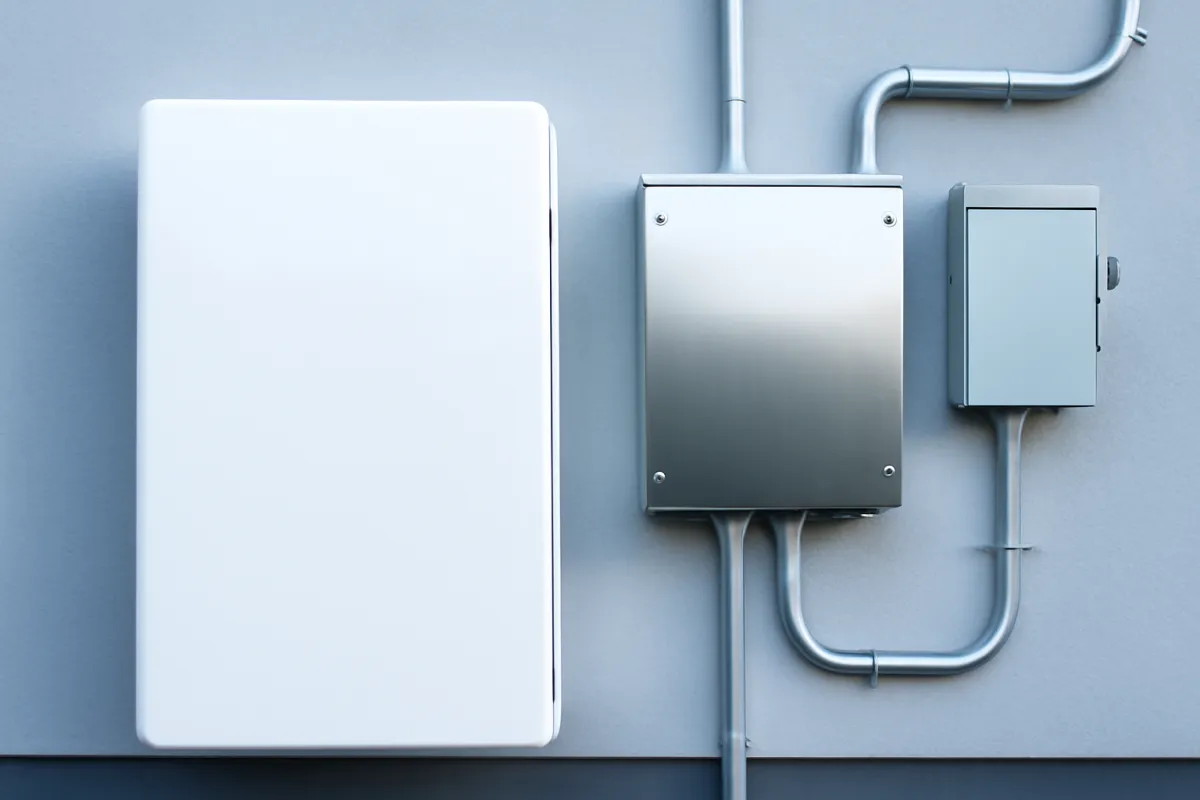
The prose above splits a quote in half. Here is the same split written out as lines, because “what does the installation cost” deserves a number rather than a paragraph. Everything below sketches one straightforward single-unit retrofit, illustratively, and the typical column is the round $16,000 installed midpoint this briefing carries throughout, so the arithmetic ties to the worked examples later. Your own bids will land somewhere across these columns and occasionally outside them.
| Line on the quote | Low | Typical | High |
|---|---|---|---|
| Battery hardware, the unit itself | $9,000 | $9,280 | $10,000 |
| Electrician labor, mounting, and conduit | $2,200 | $3,700 | $4,400 |
| Backup gateway or critical-loads subpanel | $1,200 | $1,700 | $2,200 |
| Permit, inspection, and interconnection | $600 | $1,320 | $1,400 |
| Installed total, one unit | $13,000 | $16,000 | $18,000 |
| Installation only, total minus hardware | $4,000 | $6,720 | $8,000 |
| Main panel or service upgrade, only when the site visit calls for one | not needed | not needed | add $1,500 to $4,000 |
Read the table down its columns rather than across its rows and the argument of this page appears as arithmetic. The hardware line moves by about a thousand dollars between a cheap job and an expensive one, because installers buy from the same channel on broadly similar terms. The three installation lines together roughly double, from about $4,000 to about $8,000, for the same box on the same wall. That asymmetry is the whole reason to gather three written quotes on matching scope: you are not shopping the battery, you are shopping the work around it.
The panel upgrade row sits deliberately outside the totals, because it is not a normal part of an installation. It is a condition of your house. When the site visit finds the main panel undersized, full, or old enough that the utility wants it replaced, that work lands as its own line and pushes a job past the top of the band. Ask every bidder in writing whether their number assumes a panel upgrade or excludes one, because a quote that quietly leaves it out is not cheaper, it is incomplete, and it is the single most common reason two bids for identical equipment come back thousands apart.
A second question hides inside the phrase cost of installing a Tesla Powerwall: what the labor alone costs when you are not buying the hardware from the same company. Some installers will fit a customer-supplied battery and many will not, because the equipment warranty, the commissioning, and the manufacturer’s certification usually travel with an approved installer rather than with the box. Where it is offered at all you are buying the installation column above and nothing else, and you are accepting the risk that a later warranty claim has two companies pointing at each other. Ask about that split before assuming you can save the hardware margin.
Two habits make the table useful rather than decorative. First, ask each bidder to itemize against these same categories, since a quote showing one hardware figure and one lump installation figure is hiding exactly the half that varies. Second, price the job at your own per-unit number rather than ours: set the installed cost per unit in the calculator to whatever your quotes actually say, and the hardware and installation halves move with it. Our quote-reading briefing applies the same line-by-line discipline to a full solar proposal.
What the Powerwall 3 actually is
Before pricing it, pin down what one unit is, kept high level and illustrative. The Powerwall 3 is a wall-mounted lithium home battery holding roughly 13.5 usable kilowatt-hours, the same reference figure we carry across our battery briefings. Usable is the word that matters: manufacturers hold back a reserve to protect the cells, so the usable capacity, not the nameplate total, is what powers your house. That 13.5 usable kilowatt-hours is 13,500 watt-hours of stored energy, enough to run a roughly 1,500 watt essentials load for about nine hours flat out, and considerably longer in practice as fridges and fans cycle off.
The defining design change in this generation is the integrated inverter. Earlier home batteries were storage boxes that paired with a separate inverter to convert between the battery’s direct current and your home’s alternating current. The Powerwall 3 builds that inverter into the unit and gives it a solar connection, so on a solar-plus-storage project the battery can also serve as the system’s inverter. Its continuous output is commonly cited in the neighborhood of 11.5 kilowatts, which sets how much can run at once rather than how long it lasts.
Those two ratings answer different questions and buyers routinely confuse them. Capacity in kilowatt-hours answers how long, output in kilowatts answers how much at once. A house that trips the output ceiling every time the well pump and the air conditioner start together is not short of stored energy, it is short of instantaneous power, and the fix is different. Confirm the exact usable capacity, continuous output, and inverter details on the current spec sheet, since these figures shift between hardware generations and firmware releases.
What Changes the Installed Price
Five things move the installed number more than anything else, and every one of them is knowable before you sign. The first is your main electrical panel. If the panel has capacity and space for the new circuits, the electrician’s job is short. If it is undersized, full, or old enough that the utility wants it replaced, a panel or service upgrade lands on the quote and can be a substantial line on its own. This is the single most common reason two quotes for the same battery come back thousands apart: one crew found the panel adequate and the other did not.
The second is gateway scope. A whole-home gateway that transfers your entire service onto battery power during an outage is a bigger installation than a small critical-loads subpanel carrying six or eight circuits. The critical-loads approach is cheaper and often the more honest match to what a single unit can actually run, but it means deciding in advance which circuits matter. The third is mounting location. A unit going on a garage wall a few feet from the service is a short conduit run and easy access. A unit going on an outside wall around the corner, or on a wall that needs structural backing, or in a spot the code requires clearances around, adds hours and materials.
The fourth is the paperwork load in your jurisdiction. Permit fees, plan review, inspection scheduling, and your utility’s interconnection process vary widely by municipality and territory, and they show up as both cost and calendar. The fifth is unit count, which multiplies almost everything above. Stacking two or three units shares one crew visit, one permit package, and one interconnection, so the second unit costs a little less to install than the first, but the hardware scales in full and the electrical work grows. Ask each bidder which of these five applies at your address and you will understand your spread before the numbers arrive. Run your own count and per-unit figure through the calculator as you read.
How Many Units a House Actually Needs
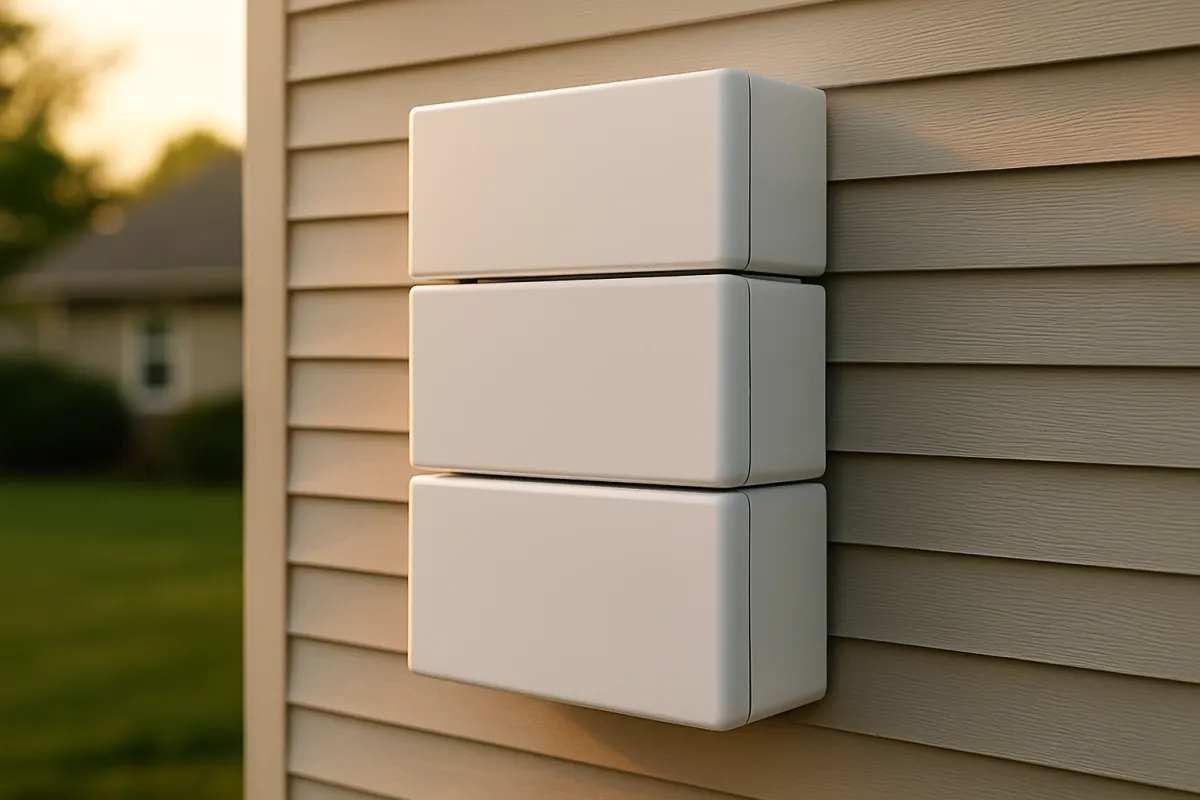
The fastest way to change your total is to change your unit count, and the count follows your backup goal rather than your house size. Essentials-only backup, covering a fridge, lights, internet, a router, and a few outlets, is often a one-unit job. Partial-home backup that adds a slice of comfort such as one air conditioning zone commonly needs two. True whole-home backup with central air or electric heat usually means three or more units stacked together. Because each unit adds close to a full installed price to the total, count dominates the budget.
The arithmetic is two lines. Take your critical load in watts, multiply by the hours of backup you want, and divide by 1,000 to get the kilowatt-hours you need. Divide that by 13.5 usable kilowatt-hours per unit and round up to get the count. A 1,500 watt essentials load over eight hours is 12 kilowatt-hours, which fits inside one unit. A 3,000 watt load over twelve hours is 36 kilowatt-hours, which needs three. Our briefing on how many Powerwalls you need works that math in full, including how to measure a critical load honestly instead of guessing at it.
Two habits inflate the count unnecessarily. The first is sizing to square footage, which draws no power at all. The second is asking for whole-home backup by reflex when the outages you actually experience are short evening events that essentials-only coverage would ride out comfortably. Because count is the dominant lever, that reflex can add five figures for capacity that sits idle. Size to your loads and your real outage pattern first, then multiply by the per-unit installed figure from your quotes.
Illustrative installed cost by number of Powerwalls
Round $16,000 per installed unit as an illustrative midpoint. Your quotes will move these.
Bar widths track total installed cost against a four-unit reference (1 of 4, 2 of 4, and so on). Cost scales almost linearly with unit count because the hardware dominates, though shared labor and permitting make a two-unit job a little less than double a one-unit job in practice.
Powerwall 3 vs Powerwall 2: What Changed and What It Means for Price
The comparison buyers ask for most is the Powerwall 3 against the older Powerwall 2, and the honest answer is that the difference is architectural more than it is a simple price cut. The Powerwall 2 was a battery designed to work alongside a separate inverter, which meant a solar-plus-storage project bought the battery and the inverter as two components and mounted both. The Powerwall 3 integrates the inverter into the battery unit and adds solar inputs, so on a new solar-plus-storage install it can double as the system inverter and remove a component from the hardware list.
What that means for price depends entirely on your project. On a fresh solar-plus-storage build, folding the inverter into the battery can shorten the equipment list and simplify the wiring, which shows up as a lower total system cost even when the battery sticker looks similar. On a battery-only retrofit onto an existing array that already has a working inverter, the integration advantage is smaller, because you are not removing a component you were going to buy anyway. In that case the two generations sit closer together in practice.
There is a second-order effect worth naming. Fewer separate components can mean fewer mounting points, fewer conduit runs, and a slightly shorter labor day, which lands in the installation half rather than the hardware half. That is a modest saving, not a dramatic one, and it is easily swamped by whether your panel needs upgrading. The lesson is the one running through this briefing: compare fully installed quotes for your specific project rather than unit prices in isolation, because the integrated design shifts where the cost sits instead of simply erasing it. Availability of any particular generation also changes over time, so confirm what your installer can actually supply.
Cost with solar versus without
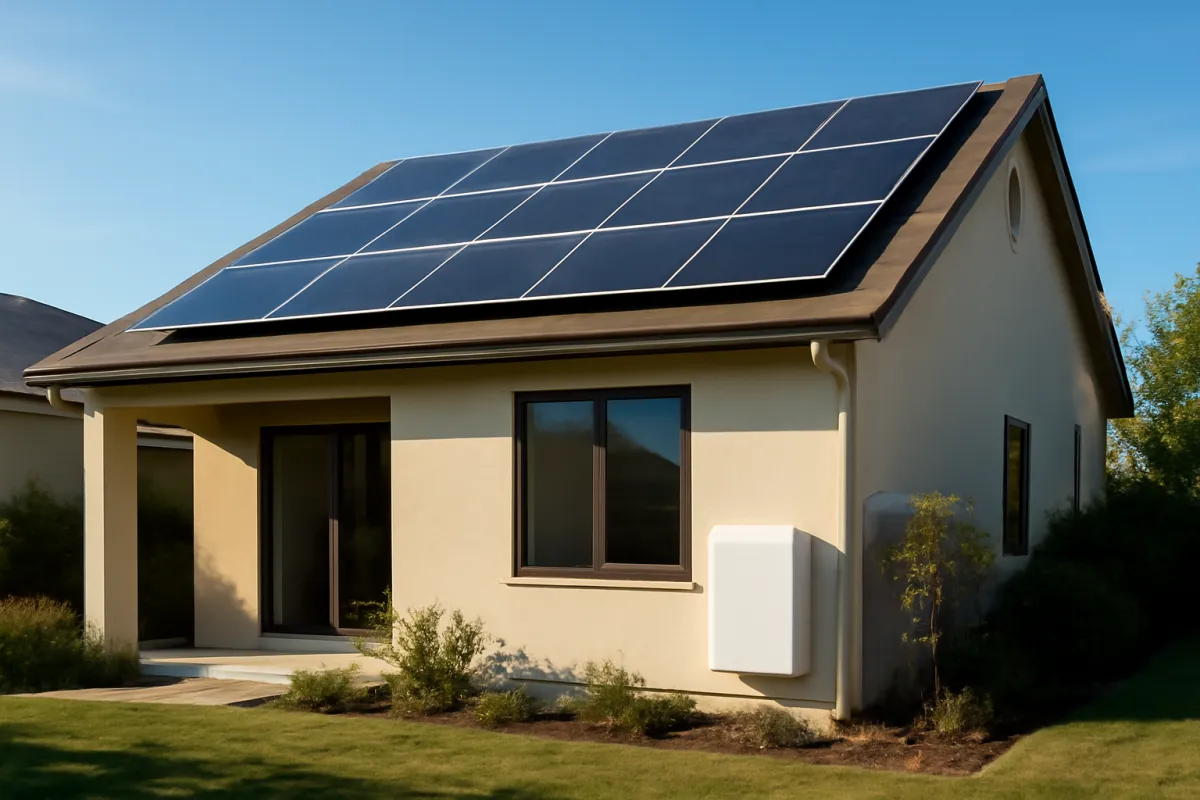
Whether you buy the battery alongside panels or on its own changes the economics in a way the sticker price hides. Bought as part of a solar-plus-storage project, the battery shares a great deal with the panels: one permit package, one crew visit, one interconnection process, and, thanks to the integrated inverter, one less component to buy. The incremental cost of adding the battery to a solar project is therefore often lower than installing the same battery on its own, because so much of the installation overhead is already being spent on the panels.
Bought standalone as a battery-only backup box, you pay for a dedicated visit, a dedicated gateway, and dedicated electrical work with nothing to share the overhead against. That does not make the standalone a bad buy, it makes it a different buy: you are purchasing resilience, not bill savings, and the value shows up when the grid fails rather than on your monthly statement. The bundle usually wins on cost per protected kilowatt-hour, but the standalone earns its place when you want backup now and are not ready to install panels.
The sequencing question matters too. Adding a battery to an array you already own is a retrofit, and it inherits whatever your existing inverter arrangement allows, which occasionally forces a compromise or an extra component. Installing both together lets the design start clean. If solar is even a possibility within a couple of years, it is worth asking your installer what a battery-ready design would cost now against what a retrofit would cost later. Sketch your solar side first with our savings calculator, because the battery question sits on top of it.
Tesla Powerwall monthly cost: financing a battery, not renting one
People search for a Tesla Powerwall monthly cost, and the phrase hides two very different questions. The first is what the battery costs to run each month once it is installed, and the honest answer is close to nothing. A home battery draws a small amount of standby power for its own electronics and communications, burns no fuel, and needs no scheduled servicing in the way a standby generator does. Its monthly running cost is a rounding error beside the purchase, which is exactly the opposite of the generator comparison many buyers arrive with.
The second question is the real one: what the monthly payment looks like if you borrow to buy it. No subscription rents you a Powerwall, so a monthly figure is a loan payment rather than a fee for the product. The arithmetic is ordinary lending arithmetic with three inputs: the amount financed, the interest rate, and the term. Lengthen the term and the monthly number falls while the total interest rises. Raise the rate and both rise. Nothing about the battery changes any of that, which is why a monthly payment describes your financing rather than the equipment.
Three routes are common and each moves the payment for reasons worth knowing. A dedicated solar or storage loan arranged through the installer is convenient, and it sometimes carries a dealer fee folded into the amount financed, so the advertised rate and the money you actually borrow are two separate things to ask about. A home equity line or a cash-out refinance usually prices lower because the house secures it, and it puts your home behind the loan. An unsecured personal loan is the fastest to arrange and normally the most expensive. Our solar loan briefing works the terms and the traps in full, including how a dealer fee quietly inflates the principal.
The comparison that keeps this honest is the monthly payment set against the monthly benefit. On the bill side, the benefit is whatever your tariff spread lets the battery earn, which the tariff section below prices properly and which is modest under a flat rate. On the backup side, the benefit is insurance-like and never arrives as a monthly credit at all. If a payment only looks affordable because you assumed bill savings your tariff cannot deliver, the financing has not made the battery cheaper, it has stretched a decision you have not tested. Price the gross installed number first in the calculator, decide whether the project is worth it at that number, and only then choose how to pay for it.
Where the federal tax credit stands now
This section exists to correct something most battery cost pages still get wrong, including an earlier version of this one. The federal Residential Clean Energy Credit under Internal Revenue Code section 25D, the credit homeowners had been claiming on rooftop solar and home batteries for years, was terminated early by Public Law 119-21. In the IRS’s own words on its Residential Clean Energy Credit page, the credit is not available for any property placed in service after December 31, 2025. The placed in service test turns on when the original installation is completed, not on the date you signed a contract, paid a deposit, or took delivery of equipment.
The practical consequence for a homeowner pricing a battery now is straightforward: there is no federal residential clean energy credit to subtract. That is why nothing on this page computes an after-credit or net figure, and why the calculator alongside it does not either. If a proposal, spreadsheet, or online estimator still shows you a price after a 30 percent credit, it was almost certainly built against the old rule and has not been rewritten. A number in a sales deck is not a determination by anyone with authority to make one.
What to do instead is simple. Ask every installer for the gross installed price before any incentive is subtracted, and compare bids on that number, because it is the only figure fully within the installer’s control and the only one that makes two proposals genuinely comparable. If an installer has assumed any incentive at all, ask them to name it, name the body that administers it, and say in writing whether it is confirmed or merely expected. State, local, and utility programs are separate from the federal credit and are covered in the next section. Anything touching your own tax return belongs with a qualified tax professional rather than with an article or a salesperson.
State, utility, and virtual power plant programs
Below the federal level there are three layers worth checking before you sign, and the usual advice waves at “local rebates” without saying how to find them. The first layer is state programs. Some states have run dedicated home-battery rebate or incentive programs, others offer nothing at all, and the ones that exist are typically capped, budgeted annually, and sometimes waitlisted. The second is utility programs. Individual utilities in a number of regions pay battery owners either an upfront rebate or an ongoing credit for enrolling the battery in demand-response events, where the utility can call on your stored energy during grid peaks.
The third is virtual power plant enrollment, offered in some territories through the battery maker or a third party, which pays you for letting a fleet operator dispatch part of your capacity during peak events while reserving a backup floor for your own house. That last detail is the one to read carefully, because a virtual power plant payment usually obligates your battery to participate for a defined period and under defined conditions, and what looks like free money is a contract with terms.
None of these can be quoted as a dollar figure here honestly, because every one is program-specific, region-specific, and subject to caps, deadlines, and rule changes. What you can do is run the checks in order. Ask each installer bidding your project which state, utility, and virtual power plant programs currently apply at your address, since installers process these applications routinely and a bid that ignores them may be leaving your money on the table. Then confirm the terms directly with the administering body rather than the sales sheet, especially the enrollment commitment and the exit conditions. Treat any program you confirm as a reduction to a price you have already agreed rather than as a number to bank in advance.
What a Powerwall actually pays for
It is tempting to ask for a single payback number, but a battery earns in two distinct ways, and blending them produces a figure that is wrong for everyone. The first job is on the bill: time-shifting energy. Your panels make the most power midday when the house is often empty, and you use the most in the evening when they are asleep. A battery stores the cheap midday surplus and serves it back at night, so you buy less expensive evening power. That job pays real money only where your utility’s tariff has a wide enough spread between what you pay to import and what you earn to export.
The second job is off the bill entirely: backup power. When the grid fails, the battery keeps your chosen circuits alive, and its value shows up as the freezer that did not thaw, the medical device that kept running, the workday that continued. That value is real but insurance-like, and it is genuinely hard to put a dollar figure on.
This is exactly why our battery economics briefing prices the two jobs separately instead of collapsing them into one payback claim. Households that conflate them buy wrong in both directions: some pay for whole-home backup they rarely use, expecting bill savings their tariff cannot deliver, and others skip a battery that would have been worth it purely as resilience because a payback calculator told them the arithmetic did not work. Decide which job you are buying before you decide how many units to buy.
Why installer quotes vary so much
If you gather three quotes for the same Powerwall 3 you will likely see three noticeably different totals, and understanding why keeps you from assuming the cheapest is the best or the dearest is a ripoff. The hardware is roughly fixed, but everything around it is not. One installer may need to upgrade your main panel and another may not. One may face a long conduit run or a difficult mounting wall while another has an easy path near the service. One may include a full backup gateway while another proposes a smaller critical-loads setup. Each of those choices moves the number by real amounts.
Beyond the physical work, installers carry different overhead, different crew costs, and different appetites for the job depending on how busy they are that season. A very cheap quote sometimes reflects a thinner scope, a smaller backup panel, or an optimistic labor estimate that grows on install day. A very high one sometimes reflects a company that is not hungry for the work and priced accordingly.
The defense is the three-quote habit, comparing installed to installed with the same scope, so you are pricing the same project rather than three different ones wearing the same product name. Where the totals differ, ask each installer to explain the difference against a specific line in a rival bid rather than against the rival’s total. That question usually surfaces the real variable within a sentence or two, and it is often the panel.
Why a Powerwall quote outside the US looks different
Every figure in this briefing is an illustrative United States dollar sketch, and readers elsewhere regularly find that their quotes do not resemble it. That is expected, and the reasons are structural rather than a local installer overcharging. Naming the mechanisms is more useful than inventing a second set of numbers, so no amounts for any other country appear here.
Start with the hardware. A battery sold outside its home market carries the cost of getting there: freight, any import duty or tariff applied to the category, and the currency the transaction settles in. It also moves through a smaller and often less competitive distribution channel, which is the opposite of the situation that keeps the hardware line so consistent between United States bidders. Certification matters too, because a unit has to be approved for sale and installation under the local electrical standard, and where a particular generation has not been approved, the answer to what it costs is that you cannot buy it yet.
Then the work around it. Electrician wage rates, licensing requirements, and what a crew day costs vary by country and by region inside a country. Electrical codes differ on what a backup installation must include, which changes the gateway and disconnect scope rather than only the labor hours. Permitting sits with a different authority under different rules, and the interconnection process for a battery that can export is set by a different regulator entirely. Any one of those can move a quote by more than the hardware does.
Programs are the last piece and the easiest to get wrong from a distance. Federal, provincial, state, territorial, and utility programs are each administered by their own bodies on their own schedules, and a program that exists in one province or state may have no equivalent a border away. What travels is the method this briefing has used throughout. Ask three local installers for the gross installed price in your own currency with the hardware itemized separately, ask each which local programs they are assuming and who administers them, then confirm those with the administering body rather than the sales sheet. Keep the structure here, hardware against installation, count as the dominant lever, gross price as the basis of comparison, and put your own local figures into the calculator.
Permitting and interconnection
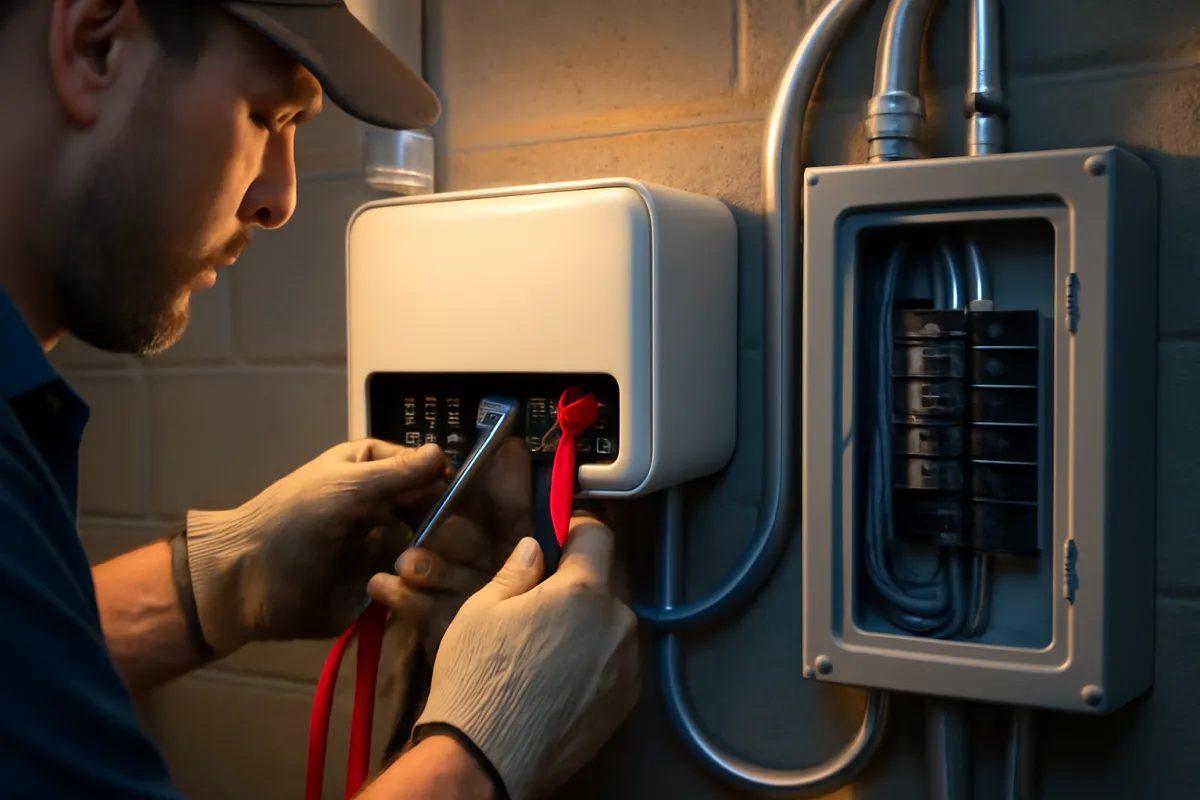
Two line items that produce no visible hardware still shape the total and the timeline: permitting and interconnection. A home battery is a permanent electrical installation, so your municipality almost always requires a permit, a plan review, and an inspection before the system is signed off. Those fees vary by jurisdiction and the time they take varies more, which is why a quote’s price and its schedule are two separate promises worth confirming. A backup system that switches your house onto battery power during an outage is exactly the kind of work inspectors look at closely.
Interconnection is the parallel process with your utility. Because the battery, especially paired with solar, can push power in ways the grid has to account for, the utility needs an agreement in place before the system operates in its grid-connected mode. This is usually routine, but it can add weeks, and in some territories it adds conditions or equipment requirements that affect cost. Our permits and interconnection briefing covers the process shape in more detail.
Neither step is a reason to avoid a battery, but both belong in your budget and your timeline expectations. A good installer folds both into the quote and tells you the realistic calendar rather than surprising you with them after the deposit clears. Ask specifically who pulls the permit, who pays the fee, who submits the interconnection application, and what happens to your schedule if the utility comes back with conditions. Those four answers separate a company that has done this in your jurisdiction from one that has not.
Operating life and warranty
A battery’s cost only makes sense against how long it lasts, and the figure to plan around is the warranty, not a hopeful lifespan. Home batteries in this class commonly carry a warranty in the neighborhood of ten years, often paired with a capacity-retention guarantee: a promise that the unit will still hold a defined share of its original usable capacity at the end of the term. That capacity fade is normal for lithium cells, and the retention figure is how you compare one battery’s durability promise against another’s rather than trusting a round lifespan claim.
Plan your payback math around that warranty decade. If the bill savings and backup value only add up over a hoped-for twenty-year life, the honest answer is usually no, because you are betting on years the manufacturer did not guarantee. Actual service life often exceeds the warranty, and many units keep working well past their term, but a warranty is the figure you can actually plan around while a hoped-for lifespan is not.
Read the conditions as carefully as the term. Warranties in this category typically depend on the unit being installed by an approved installer, kept within stated temperature and environment limits, and connected for monitoring, and some distinguish between a self-consumption use case and heavier cycling. Those conditions are the difference between a guarantee you can rely on and one you can void. Confirm the exact term, the capacity-retention percentage, and the qualifying conditions on the current warranty document, since terms change between generations. Our warranty briefing applies the same reading habit to panels.
Alternatives to consider briefly
The Powerwall 3 is the battery most people name, but it is not the only home battery, and a cost briefing should say so plainly. Several manufacturers make wall-mounted lithium home batteries in the same broad class, with their own usable capacities, output ratings, inverter arrangements, and warranty terms. Some are sold as modular stacks that let you add capacity in smaller increments, which can suit a household that wants to start at essentials-only and grow. Some pair differently with existing solar inverters, which matters on a retrofit. The right comparison is never the unit sticker alone but the fully installed quote for your project with each option’s real scope.
What tends to matter more than the brand is fit to your specific situation: whether you are adding storage to existing solar or building solar-plus-storage new, how your utility treats exports, and what your installer is certified and comfortable to install well. An installer who has done dozens of one product and none of another will often deliver a better outcome on the familiar one even when a spec sheet favors the alternative.
There is also a non-battery alternative worth pricing if your goal is purely outage coverage. A standby generator solves a different version of the same problem with different running costs, noise, fuel logistics, and maintenance, and for some households it is the cheaper answer. Worth saying plainly, because it is a common search: there is no Tesla home generator, and a Tesla home generator cost question is nearly always a Powerwall question wearing the wrong noun. If a fuel-burning standby unit is genuinely what you are after, our battery versus generator briefing prices the two against each other properly. Treat the Powerwall 3 as this briefing’s reference point, gather quotes on it and at least one alternative, and let installed cost, warranty, and installer competence decide rather than the name.
The payback reality
Here is the uncomfortable truth a cost briefing owes you: the backup half of a battery’s value is genuinely hard to price, and pretending otherwise produces false precision. The bill-savings half can be calculated. Take the kilowatt-hours you cycle, multiply by your tariff spread, and you have an annual figure you can divide into the installed cost for a payback in years. Where the spread is wide, that alone can justify the battery inside the warranty decade. Where the tariff pays full retail for exports, the grid is already acting as your free battery, and the savings job earns almost nothing.
The backup half does not submit to that arithmetic. What is it worth to keep the freezer cold, the medical device running, or the home office working through a multi-day outage? The number is real but personal, and it depends on how often your grid actually fails and how costly each failure is to you. A household on a rural line that loses power six times a winter is buying something quite different from a household in a dense suburb that has not had an outage in three years.
Our battery economics briefing handles this by pricing backup as insurance, a cost per protected outage across the warranty decade, rather than folding it into a bill payback where it does not belong. Judge the battery by adding an honest bill payback to an honest insurance value, not by a single blended number that flatters the project. With no federal credit to subtract, that discipline matters more than it used to, because the gross installed price is now the whole cost.
Where a Powerwall installed cost goes
Illustrative split of a single-unit installed total for a typical retrofit. Sums to 100%.
The hardware is the largest single slice but not the whole bill, and the installation, electrical, permitting, and gateway together are the 42% that separates the hardware price from the installed price. On a difficult install needing a panel upgrade, the install slice grows and the hardware share shrinks.
The worked example, start to finish
Put the pieces together on one household and watch the numbers assemble. The Ortega family has a 2,000 square foot home with a gas furnace, a central air conditioner, a well pump, and the usual kitchen and electronics. They decide they want partial-home backup: essentials plus one air conditioning zone through summer evening outages, not seamless whole-home coverage. Working the load math from our sizing briefing, that goal lands them at two units of roughly 13.5 usable kilowatt-hours each, about 27 usable kilowatt-hours in total.
Now the money, all illustrative. Two units at a round $16,000 installed midpoint is about $32,000. Of that, the hardware is roughly 58%, or about $18,560, and the installation, electrical, permitting, and gateway make up the other 42%, about $13,440. That is the gap between hardware price and installed price written out on one job. Expressed per unit of protected energy, $32,000 across 27 usable kilowatt-hours is roughly $1,185 per usable kilowatt-hour, which is a useful number for comparing quotes and alternative products on an equal footing.
Their electrician’s site visit finds the main panel has room, so no upgrade line appears, and the units go on a garage wall near the service, which keeps the conduit run short. Those two facts are why their installation slice sits near the middle of the range rather than the top. There is no federal credit to subtract, so $32,000 is the number they are actually deciding about. Against it they are buying two things: a modest bill-savings stream if their tariff spread supports it, and insurance-like backup value they will judge against how often their grid actually fails. Run your own version in the calculator, and read it alongside our battery economics briefing.
A second worked example: essentials-only on one unit
The Ortega household bought partial-home backup on two units. Run a leaner household through the same method and the total moves a long way. The Bell family lives in a 1,200 square foot home with gas heat, a modest kitchen, internet, and no central air they need to keep running through an outage. Their goal is essentials-only: the fridge, the router, a few lights, a phone charger, and a CPAP machine overnight. That is a critical load in the neighborhood of 1,200 watts, and they want it carried through a typical evening outage rather than a multi-day event.
Working the load math, 1,200 watts across roughly eight backup hours is near 9.6 kilowatt-hours, comfortably inside one unit of 13.5 usable kilowatt-hours. So the Bells are a one-unit job, and the count, the biggest lever in this briefing, has already settled their total in rough terms. Their circuits go on a small critical-loads subpanel rather than a whole-home gateway, which is both cheaper and a better match to what one unit can carry.
Now the money, all illustrative. One unit at a round $16,000 installed midpoint is about $16,000. Split on the same lines as the earlier example, hardware is roughly $9,280 and the installation, electrical, permitting, and gateway make up about $6,720. Per unit of protected energy that is again roughly $1,185 per usable kilowatt-hour, because the split scales with the count. What the Bells buy is mostly insurance-like backup value, judged against how often their grid actually fails, plus whatever modest bill savings their tariff supports. Run your own count and total in the calculator.
How your tariff sets the bill-savings half
The bill-savings half of a battery’s value is not a fixed figure. It is set almost entirely by the shape of your utility’s tariff, and two homes with identical hardware can earn very different amounts from the same unit. The mechanism is simple. A battery earns on the bill by storing energy when it is cheap and serving it back when it is expensive, so its daily wage is the spread between those two prices multiplied by the kilowatt-hours it can move in a day. Widen the spread and the wage rises; flatten it and the wage nearly disappears.
Under a flat tariff, where every hour costs the same to import and exports earn close to that same rate, a battery has almost nothing to arbitrage, because there is no expensive window to avoid. The grid is already acting as a near-free store of your daytime surplus, so the unit earns its keep on backup value rather than on the statement. Under a time-of-use tariff with a steep evening peak, the picture flips: the battery can soak up cheap midday solar or off-peak grid power and displace the priciest evening hours, and the daily wage becomes real money. Our net metering briefing explains how the export side of that equation is set.
There is a ceiling worth naming. A single unit can only cycle so much usable capacity in a day, so even a wide spread caps out at what 13.5 kilowatt-hours can shift. Chasing bill savings by stacking units rarely pencils, because each added unit costs close to a full installed price while the arbitrage per unit stays flat. Buy the second and third unit for backup coverage, not for arbitrage, and price the bill-savings half against your specific tariff before you assume it exists.
Common budgeting mistakes on a battery project
A handful of budgeting mistakes account for most of the sticker shock on battery projects, and each traces back to a number read out of context. The first is anchoring on the hardware price. The box on its own is the figure that circulates online, but the check you write is the installed total, several thousand dollars higher on a single unit, and a budget built on the hardware number is short from the start.
The second is sizing to the house rather than to the backup goal. Square footage does not draw power; loads and hours do. A buyer who asks for whole-home backup out of habit can end up quoted for three or more units when essentials-only on one would have carried the outages they actually experience, and because count is the dominant cost lever, that habit can add five figures for coverage rarely used.
The third is budgeting against an after-credit price. Proposals, spreadsheets, and estimators written before the federal residential credit ended still show a net number, and a homeowner who anchors on it is planning around money that will not arrive. Ask for the gross installed price and make your decision on that, and take any question about your own tax position to a qualified tax professional rather than to a sales deck.
The fourth is blending backup value into a bill payback. Backup is insurance-like and hard to price, and folding it into a payback number produces false precision that flatters the project. Judge the bill-savings half on your tariff and the backup half as insurance, separately, inside the warranty decade. Avoid these four and the budget you set is built from your loads, your tariff, and your quotes rather than from a hardware sticker seen out of context.
Reading a battery quote line by line
When the quotes arrive, read each one line by line rather than glancing at the total, because the total is where three different projects can hide behind the same product name. Start by separating the hardware line from everything else. The battery itself should be one figure. The electrical work, the backup gateway, the mounting and conduit, the permit fees, and the labor should each be visible rather than rolled into a single vague installation number. A quote that states only a hardware price and a lump installation line is hiding exactly the half of the cost that varies most between installers.
Next, confirm the scope actually matches across quotes. One installer may be pricing a full backup gateway that carries your chosen circuits, while another proposes a smaller critical-loads setup, and a third assumes a main-panel upgrade you may or may not need. These are different projects, and comparing their totals tells you nothing until the scope is the same. Check the unit count and the usable capacity each quote assumes, since a lower total sometimes means fewer protected kilowatt-hours rather than a better deal.
Then read the paperwork lines. Permitting and interconnection produce no visible hardware but shape both the price and the timeline, so a quote that omits them is a quote that will grow. Note the warranty term and capacity-retention figure each installer stands behind, because a cheaper unit with a weaker guarantee is not the bargain it looks like. Finally, check whether any incentive has been assumed and subtracted anywhere on the sheet, and ask for the gross number if it has. Our quote-reading briefing applies the same discipline to a full solar proposal.
Questions to ask before you sign
A short list of questions, asked of every bidder in writing, will surface almost everything that separates a comfortable project from an expensive surprise. Ask first whether the price you have been shown is the gross installed price, and ask for the hardware and the installation as separate lines. Ask whether the site visit found your main panel adequate, and if not, exactly what the upgrade involves and what it costs on its own. Ask whether the design is a whole-home gateway or a critical-loads subpanel, and which specific circuits will be backed up.
Then ask about the work itself. Where will the units be mounted, how long is the conduit run, and does the location need any structural or clearance work? How many units are being quoted, and what is the assumed usable capacity of each? Who pulls the permit and pays the fee, who files the interconnection application, and what is the realistic calendar from deposit to commissioning in your jurisdiction?
Finally, ask about the terms you will live with. What is the warranty term, what capacity retention does it guarantee, and what conditions keep it valid? What does the installer’s own workmanship warranty cover and for how long? Has any incentive been assumed anywhere in the numbers, and if so, who administers it and is it confirmed or expected? Get the answers in writing and line the three bids up side by side. The bid that answers all of these clearly is usually the one that has actually walked your house, and that is worth more than a few hundred dollars of headline difference.
The bottom line
What a Tesla Powerwall 3 costs is really two numbers with a gap between them: an illustrative hardware price around $9,000 to $12,000, and a fully installed price nearer $13,000 to $18,000 for a single unit. That gap, roughly $4,000 to $8,000 on a straightforward one-unit job, is not markup. It is the electrical work, the backup gateway, the permitting, and the labor that turn a box into a working backup system, and it varies by thousands between installers for the same equipment. Five things move it most at your address: panel capacity, gateway scope, mounting location, local permitting and interconnection load, and unit count.
Count is the biggest lever of all. Essentials-only is often one unit, partial-home two, whole-home three or more, and each unit adds close to a full installed price to the total. The Powerwall 3’s integrated inverter is its defining change, and it mostly reshapes total system cost on a solar-plus-storage project rather than the battery sticker alone. There is no federal residential clean energy credit for a system placed in service after December 31, 2025, so the gross installed price is now the whole number you are deciding about, and anything about your own return belongs with a qualified tax professional.
Price the hardware and the installation separately, size the count to your backup goal rather than your square footage, gather three written quotes on matching scope, and judge payback by adding an honest bill-savings figure to an honest insurance value inside the warranty decade. Then run your own count and per-unit cost through our savings calculator, and read this alongside our briefing on how many Powerwalls you need and our battery economics briefing, so the figure you budget is built from your loads, your tariff, and your quotes rather than from a hardware sticker seen out of context.
WattBarn publishes this briefing to inform, not to advise. The hardware prices, installed totals, installation ranges, capacities, output ratings, and percentage splits above are illustrative sketches built around a common reference product, offered as a method for reading your own quotes rather than a recommendation of any brand or a promise of any price. Battery installation is permitted electrical work with real safety and code stakes, and the status of any tax provision turns on facts this page cannot see, so put a licensed electrician between any calculation here and your panel, put a qualified tax professional between any tax question and your return, and let written local quotes, current program rules, and current manufacturer warranty documents settle what you actually pay.
When does a system like this pay for itself?
An illustrative example sized to a $220/month electric bill, priced at $2.90 per watt installed (gross), assuming an 85% bill offset. Your own bill, roof and local installer pricing will move every bar below — open the calculator to swap in your own numbers.
In this example, cumulative savings pass the installed cost at roughly 10.6 years — the point the teal bar overtakes the orange one.
No federal tax credit is included in the cost shown above. The federal residential solar tax credit (the Residential Clean Energy Credit, IRC section 25D) was terminated early by Public Law 119-21: the IRS states it is not available for any home system placed in service after December 31, 2025. Any older guide, quote or spreadsheet that still subtracts 30% from the price is using a historical, no-longer-available number. See the full breakdown of where the credit stands now, and check your own state or utility programs with your local energy office — those are separate from the federal credit and vary by location.
Run this on your own bill →Frequently asked questions
How much does a Tesla Powerwall cost installed?
As an illustrative figure, a single unit commonly lands somewhere around $13,000 to $18,000 fully installed, and this briefing uses a round $16,000 per installed unit as its working midpoint. That installed number is the one you write a check for, and it is several thousand dollars above the hardware price the internet usually quotes, because it also carries the electrician's labor, the backup gateway, the mounting and conduit, the permit fees, and the utility interconnection paperwork. The figure moves with your electrical setup, your installer's workload, and your region, and it moves by more than most buyers expect for identical equipment. Every amount here is an illustrative sketch rather than a quote, so confirm current pricing with a certified installer before you budget, and read the hardware-versus-installation breakdown below so you know which number you are being shown.
What is the price of a Tesla Powerwall 3?
The honest answer is that there are two prices and they differ by thousands. As an illustrative sketch, the hardware price of the unit alone sits somewhere around $9,000 to $12,000, while the fully installed price for one unit sits nearer $13,000 to $18,000. A price you see quoted online is almost always the first of those, and a price on a signed contract is almost always the second. Tesla's own pricing and any installer's pricing both move over time and by region, so treat the ranges here as a way to read a quote rather than as a current price list. Ask every installer for the gross installed price with the hardware line shown separately, then compare installed to installed.
Does the price include installation?
Usually not, when the price is one you found online. The number that circulates in articles and forum posts is typically the hardware price, the box on its own, and the installation is a separate several-thousand-dollar body of work: running conduit, wiring the backup gateway, adding or upgrading a subpanel, mounting the unit, pulling the permit, passing inspection, and completing the interconnection agreement with your utility. A quote from an installer normally does include all of that, which is why it looks so much higher than the figure you had in your head. The fix is to ask directly and in writing: is this the installed price, and can you show the hardware, the gateway, the electrical work, the permits, and the labor as separate lines. Illustrative figures here are a sketch to check that itemization against.
Is a Powerwall cheaper bought with solar?
The incremental cost of adding a battery to a solar project is often lower than installing the same battery on its own, and the reason is shared overhead rather than a discount. On a solar-plus-storage job the battery shares one permit package, one crew visit, and one interconnection process with the panels, and because the current generation folds the solar inverter into the battery, it can also remove a component the project would otherwise buy and mount. A standalone battery retrofit pays for a dedicated visit, a dedicated gateway, and dedicated electrical work with nothing to share that against. The bundle usually wins on cost per protected kilowatt-hour. The standalone still earns its place when you want backup now and are not ready to put panels on the roof.
What is the price difference between the Powerwall 3 and Powerwall 2?
The headline difference is architectural rather than a simple price cut. The Powerwall 3 integrates its solar inverter into the battery unit, while the Powerwall 2 was a battery that paired with a separate inverter. On a solar-plus-storage project, folding the inverter into the battery can shorten the hardware list and remove a component you would otherwise purchase, which changes the total system cost rather than just the battery sticker. On a battery-only retrofit onto an array that already has its own inverter, the two sit closer together in practice. Compare the fully installed quote for your specific project rather than the unit prices, because the integrated design shifts where the cost sits instead of simply erasing it.
Is there still a federal tax credit for a Powerwall?
Not for a residential system placed in service after December 31, 2025. The federal Residential Clean Energy Credit under Internal Revenue Code section 25D was ended early by Public Law 119-21, and the IRS states that the credit is not available for any property placed in service after that date, with the placed in service test turning on when the original installation is completed rather than when a contract was signed or a deposit paid. That is why nothing on this page computes an after-credit or net price. State, local, and utility programs are separate from the federal credit, are administered by their own bodies, and change on their own schedules, so no amounts for them are quoted here either. Anything touching your own return belongs with a qualified tax professional rather than with any article or sales deck.
How many Powerwalls do I need and how does that change the cost?
Count follows your backup goal rather than your square footage, and it is the single biggest lever on what you spend. Essentials-only backup covering a fridge, lights, internet, and a few circuits is often a one-unit job. Partial-home backup that adds a slice of comfort such as one air conditioning zone commonly needs two. Whole-home backup with central air or electric heat usually means three or more. Because each unit adds close to a full installed price to the total, trimming a whole-home ambition to partial-home coverage can save five figures. Our sizing briefing on how many Powerwalls you need works the load math in full. Size to the loads and hours you actually experience first, then multiply by the per-unit installed figure your quotes show.
How long does a Powerwall 3 last and what is the warranty?
Home batteries in this class commonly carry a warranty in the neighborhood of ten years, often paired with a stated capacity-retention figure over that term, meaning the unit is expected to hold a defined share of its original usable capacity at the end. Plan your payback math around that warranty decade rather than a hoped-for twenty-year life: if the numbers only work over twenty years, the honest answer is usually no, because you are betting on years nobody guaranteed. Actual service life often exceeds the warranty, and many units keep working well past their term, but a warranty is the figure you can plan around while a hope is not. Confirm the exact term, the capacity guarantee, and the conditions that keep it valid on the current warranty document.